
← Help · Buyer: Buying and After
Add to Your Cart and Check Out
Gather things from one or more sellers, then check out with each seller in turn.
- 1
On a listing, set How many and choose Add to cart. It says Added. with View your cart.
- 2
Choose Cart at the top of the page.
- 3
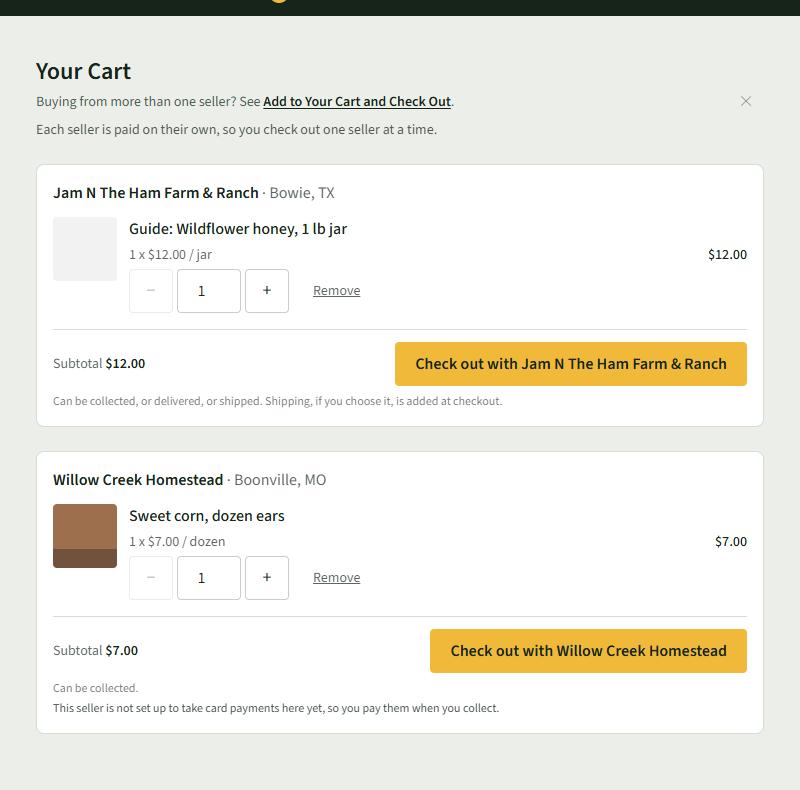
Change an amount with − and +, or choose Remove. Put it back undoes a removal.
- 4
Each seller has a box of their own, because each seller is paid on their own.
- 5
Choose Check out with the seller's name, under that seller's Subtotal.
- 6
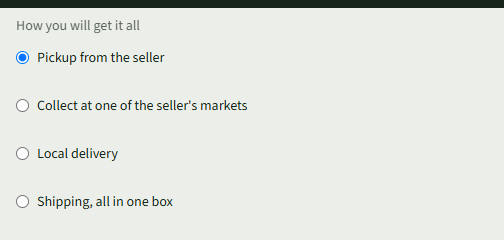
On Check Out With the seller, choose how you get it, tick the box under Please Read, and choose Place order and pay.
Good to Know
Buy now on a listing checks out that one item on its own, without the cart.