
← Help · Seller: Getting Started
Add the Markets Where You Sell
List the farmers markets and stands you attend, so buyers find you there and can order ahead to collect.
- 1
Open Your Store ▾ and choose Markets & Pickup.
- 2
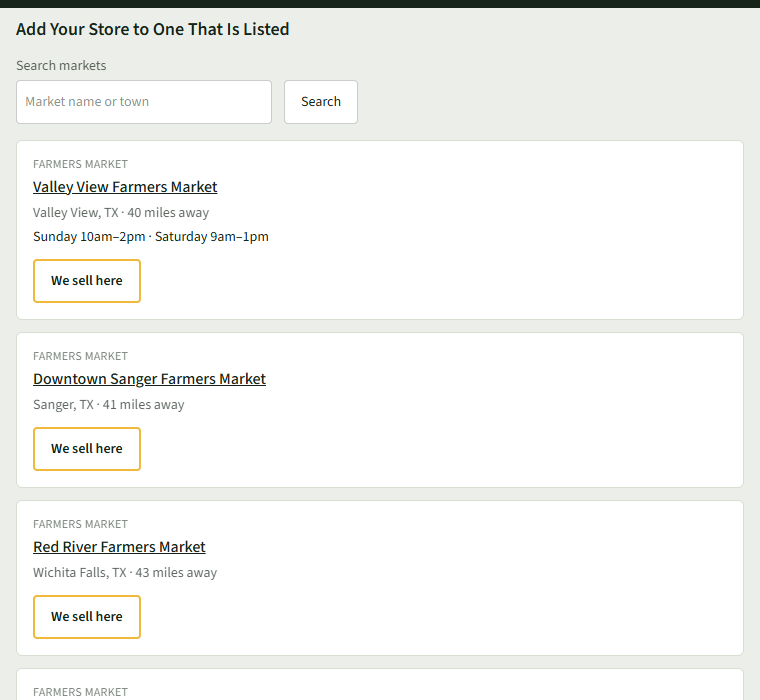
Under Add Your Store to One That Is Listed, search for your market and choose We sell here.
- 3
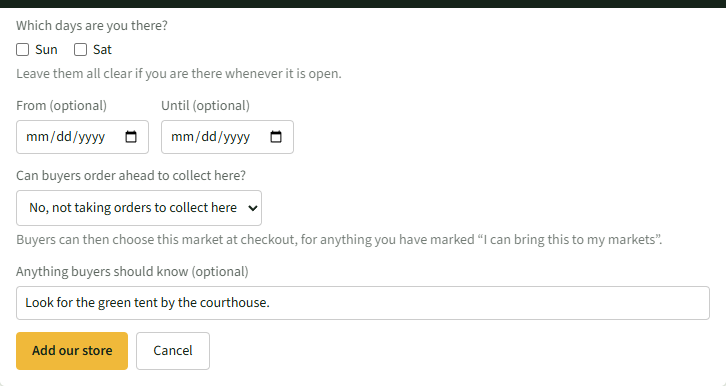
Tick the days under Which days are you there? (leave them clear if you are there whenever it is open), add From (optional) and Until (optional), and anything under Anything buyers should know (optional).
- 4
Under Can buyers order ahead to collect here?, choose when orders close, or leave it at No, not taking orders to collect here.
- 5
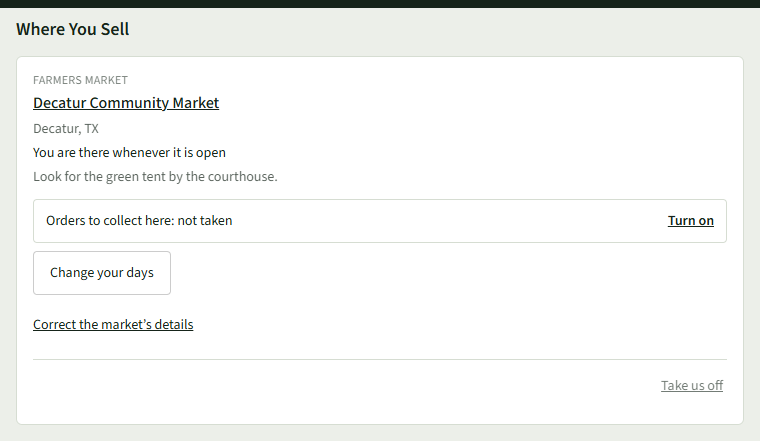
Choose Add our store. The market shows under Where You Sell; use Turn on there to take orders later.
- 6
Not listed? Use Add a Market That Is Not Listed at the bottom of the page.
Good to Know
Buyers can choose a market at checkout only once it has opening times. If it has none, add them with Correct the market’s details.