
← Help · Buyer: Buying and After
Book a Farm Visit or Class
Take a place on a tour, class or farm supper, pay for it, and find it again on Your Visits.
- 1
Choose Experiences at the top and open one, such as a class under Classes & Workshops.
- 2
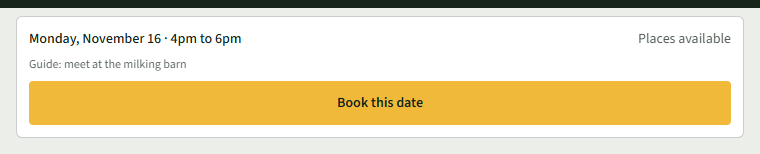
On the listing, read Before You Come, then choose Book this date under the date you want.
- 3
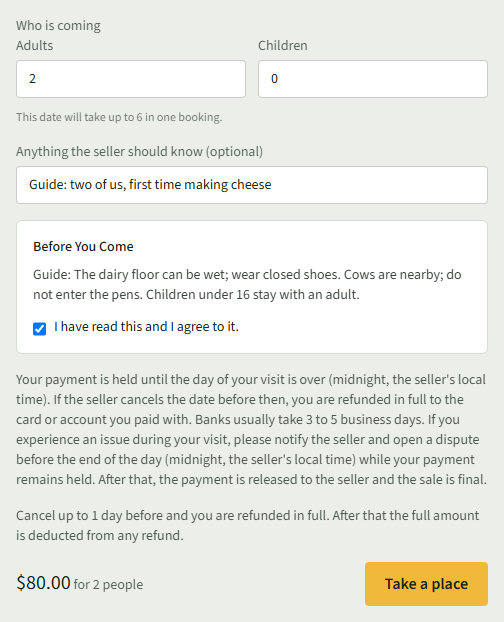
Under Who is coming, enter how many Adults and Children, and anything the seller should know in Anything the seller should know (optional).
- 4
Under Before You Come, tick I have read this and I agree to it. Read the cancellation line and the total, then choose Take a place.
- 5
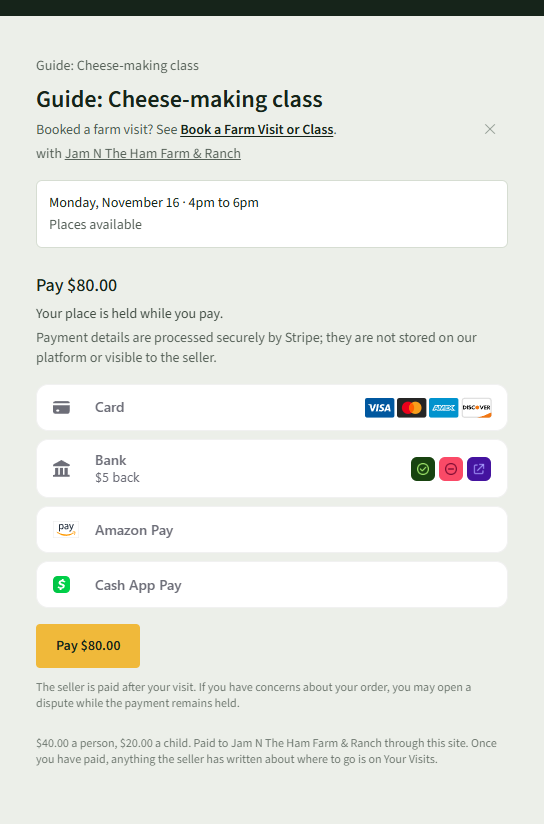
Your place is held while you pay. Pay with the Pay button and the amount.
- 6
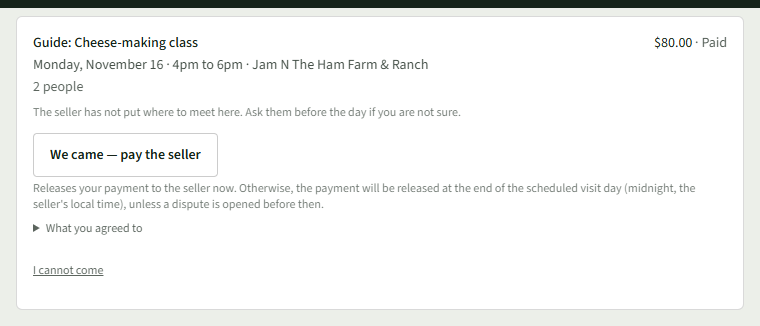
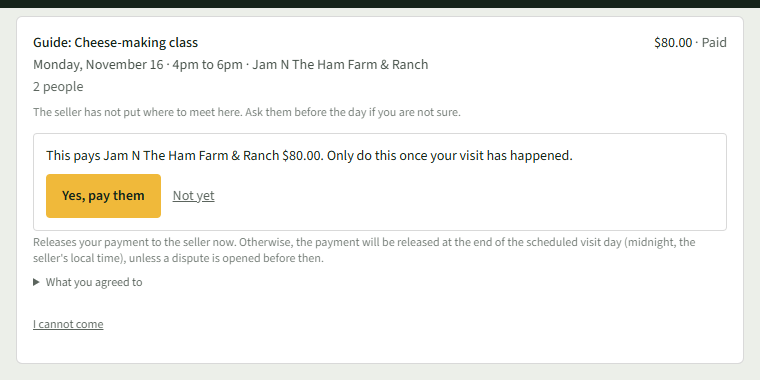
Choose Visits at the top. Your Visits lists it under Still to Come, with What you agreed to and I cannot come.
- 7
After the visit, choose We came — pay the seller, then Yes, pay them. Otherwise the seller is paid at the end of the scheduled visit day (midnight, the seller's local time).
Good to Know
Where to meet shows on Your Visits once the seller has written it there.