
← Help · Seller: Listings and Orders
Cancel an Order as the Seller
Call off an order you have already confirmed and refund the buyer.
- 1
Open Your Store ▾ and choose Orders to Fill.
- 2
On the confirmed order, choose Cancel this order.
- 3
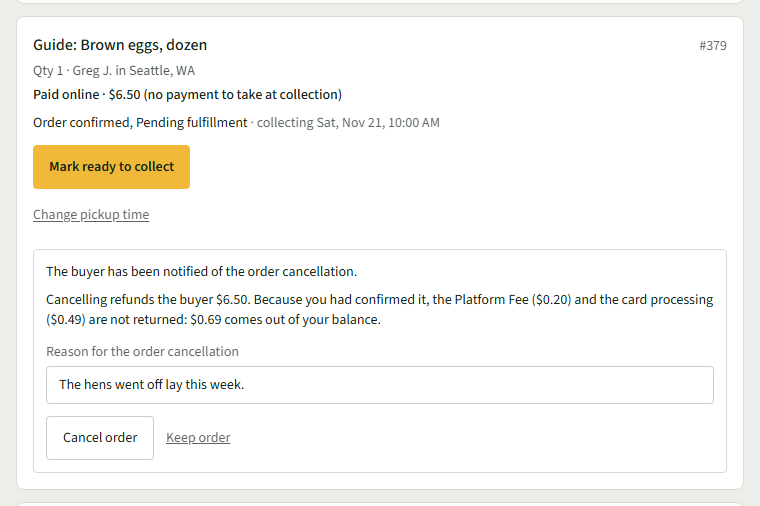
Review what the cost of cancelling the order is, then enter your reason under Reason for the order cancellation.
- 4
Choose Cancel order. The row will say Order cancelled, the buyer has been notified.
Good to Know
A new order has no Cancel this order; choose Decline instead.