
← Help · Seller: Listings and Orders
Choose How Buyers Get It
Offer pickup, your markets, local delivery or shipping on each listing.
- 1
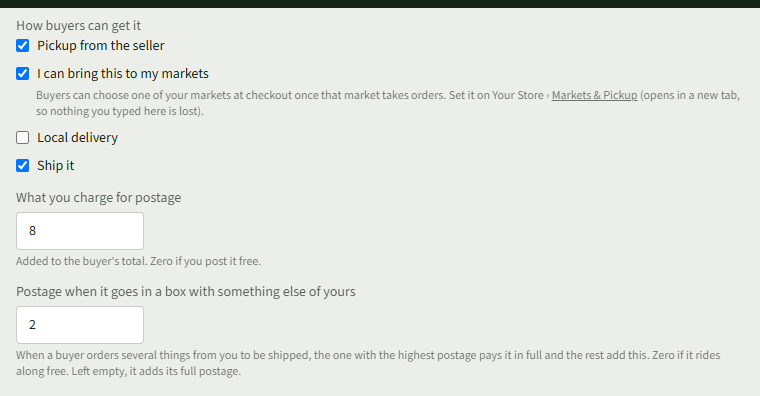
On Add Something, or on a listing's Edit page, find How buyers can get it.
- 2
Tick Pickup from the seller for buyers to collect from you.
- 3
Tick I can bring this to my markets to let buyers choose one of your markets at checkout.
- 4
Tick Local delivery to offer delivery.
- 5
Tick Ship it, then enter What you charge for postage.
- 6
If it can share a box, enter Postage when it goes in a box with something else of yours.
- 7
Choose Add listing or Save changes.
Good to Know
Your markets are set on Your Store ▾ › Markets & Pickup.