
← Help · Seller: Listings and Orders
Confirm or Decline an Order
Answer a new order: accept it, or reject it and refund the buyer.
- 1
Open Your Store ▾ and choose Orders to Fill.

- 2
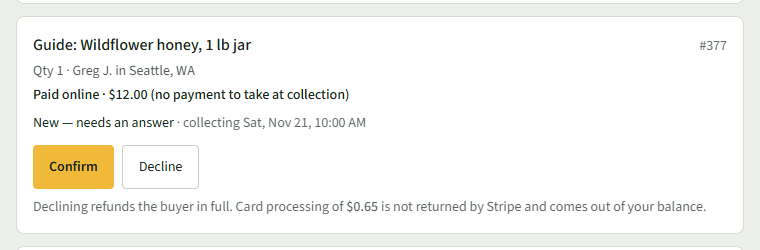
Find the order under Waiting on You. A new one says New — needs an answer.
- 3
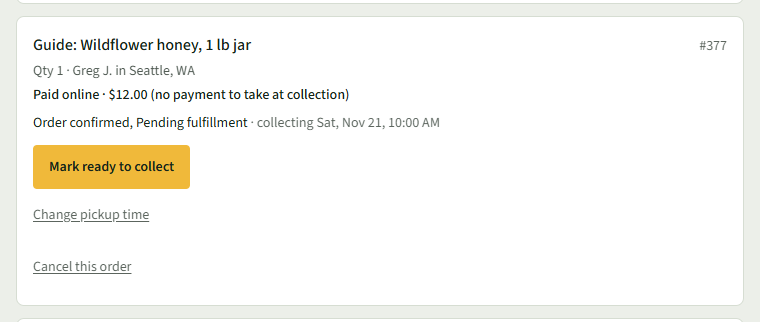
Choose Confirm to accept the order. The row then says Order confirmed, Pending fulfillment.
- 4
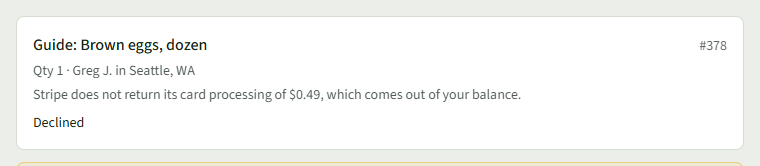
Or choose Decline to reject the order. The buyer is refunded in full and the row says Declined.
- 5
If Decline asks Decline this order? The buyer's payment is refunded., choose Decline Order, or Keep It to go back.
Good to Know
The row says how much card processing Stripe does not return if you decline, before you choose.