
← Help · Seller: Getting Started
Connect Payments
Connect your bank through Stripe so buyers can pay you through the site.
- 1
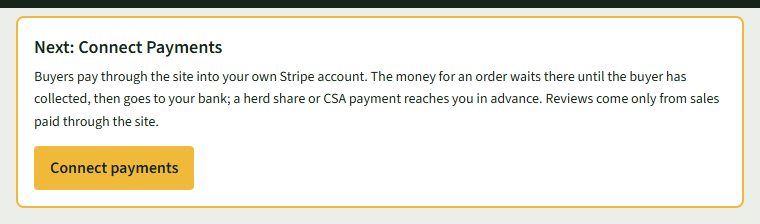
Choose Connect payments, in the Next: Connect Payments box on Your Listings or under Getting Paid on Store Details.
- 2
You will be securely redirected to Stripe. Have your bank details and ID ready, and follow Stripe's steps.
- 3
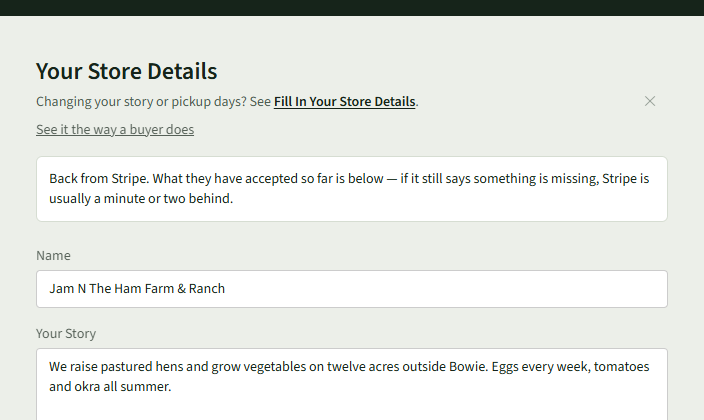
When you finish, Stripe brings you back to Your Store Details, which says Back from Stripe.
- 4
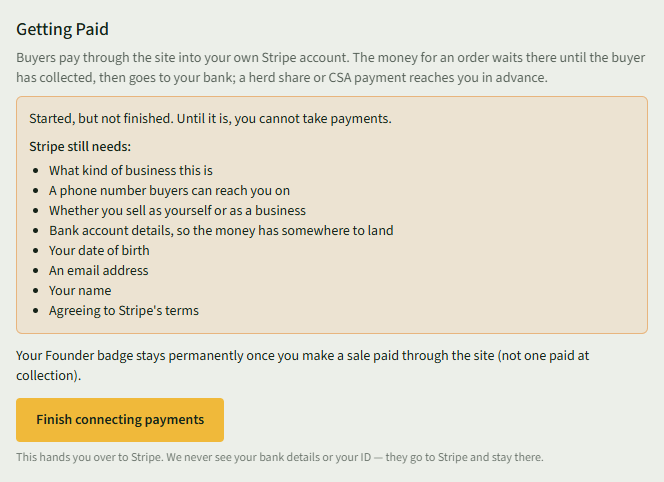
If you stopped part way, Getting Paid says Started, but not finished. and lists what Stripe still needs. Choose Finish connecting payments there, or in the Next: Finish Connecting Payments box on Your Listings, to carry on.
Good to Know
For security, your bank details and ID are processed directly by Stripe and are not stored on our servers. Reviews come only from sales paid through the site.