
← Help · Buyer: Buying and After
Follow a Seller
Follow a seller to see their news in your feed, and choose whether they email you.
- 1
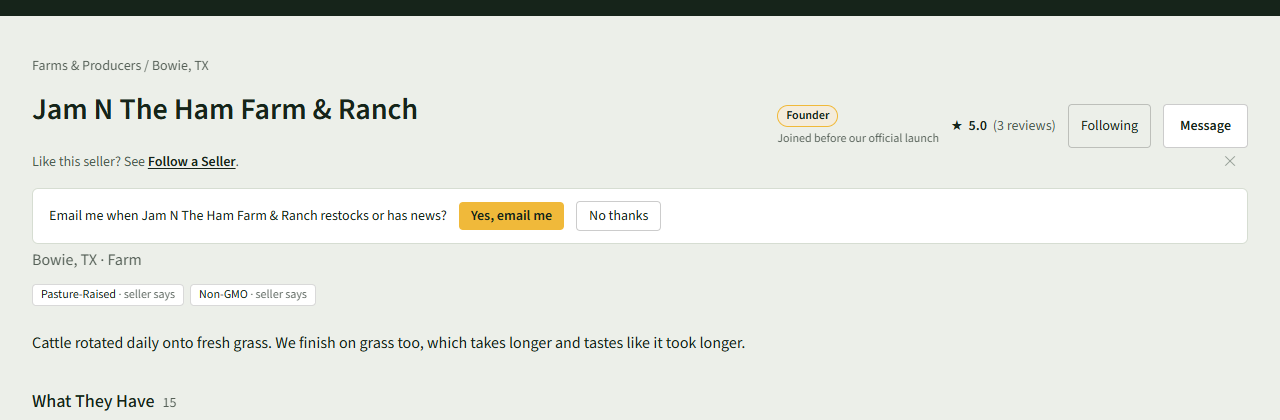
Open the seller's store page, for example by choosing their name on a listing.
- 2
Choose Follow. It changes to Following.
- 3
Answer Email me when the seller restocks or has news? with Yes, email me or No thanks.
- 4
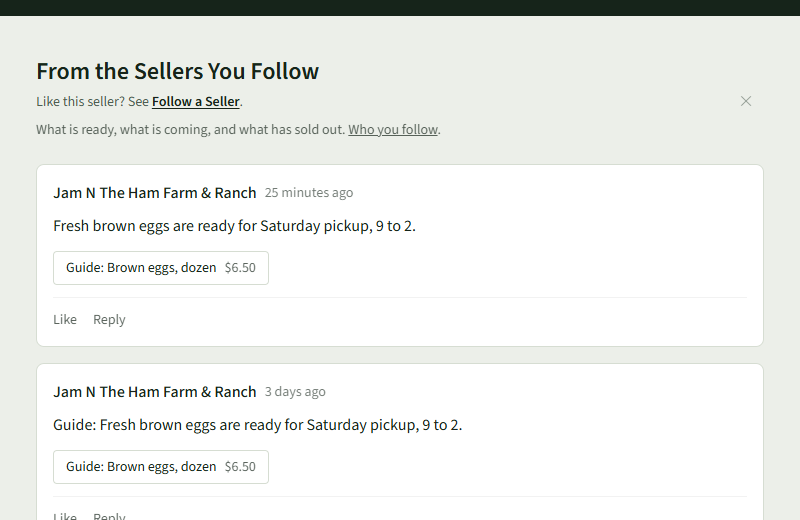
Choose Feed at the top to read posts from the sellers you follow.
- 5
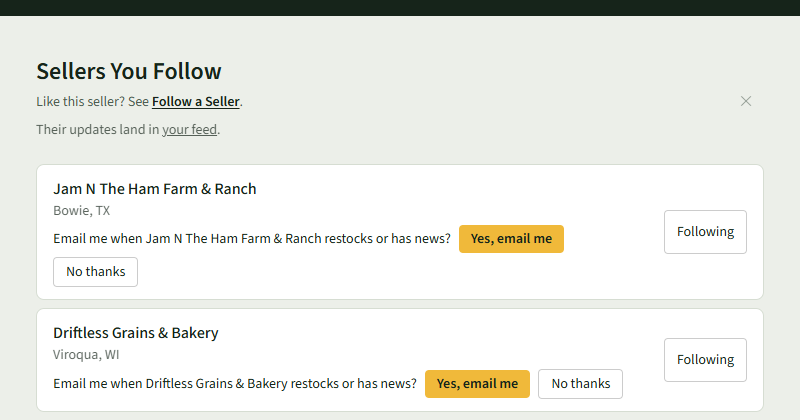
To see everyone you follow, choose Who you follow on the feed. Choose Following beside a seller to stop following them.
Good to Know
With emails on, a seller emails you at most once a day; Stop them on their page turns them off.