
← Help · Seller: Listings and Orders
List a Herd Share or CSA Box
Offer a membership that buyers pay on a rhythm, and see who has joined and which boxes to pack.
- 1
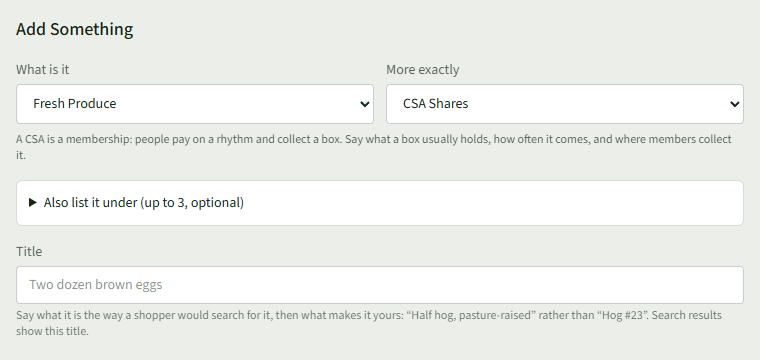
On Your Listings, under Add Something, choose a category and then CSA Shares or Herd Shares, such as Fresh Produce and CSA Shares.
- 2
Fill in the Title, and in Description (optional) say what a box usually holds, how often it comes and where members collect it.
- 3
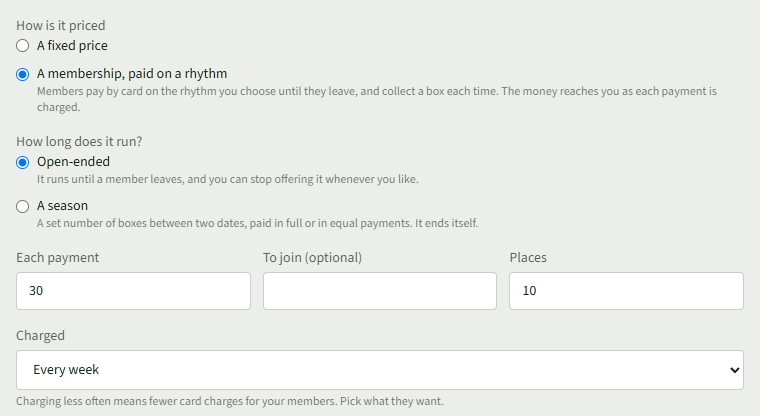
Under How is it priced, choose A membership, paid on a rhythm, then Open-ended or A season under How long does it run?. Enter Each payment, To join (optional) and Places, and choose how often it is Charged.
- 4
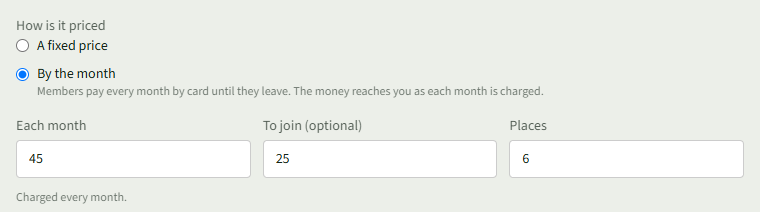
For a herd share, choose By the month and enter Each month, To join (optional) and Places. It is Charged every month.
- 5
Choose Add listing, then add photos or choose Skip for now.
- 6
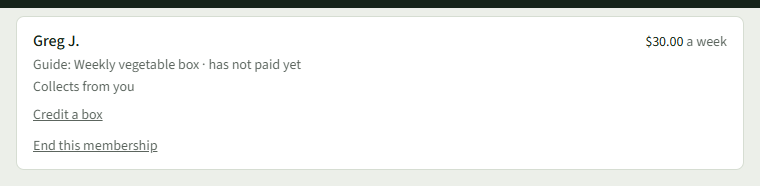
Open Your Store ▾ and choose Members. Each member shows what they pay, whether they have paid, and where they collect, with Credit a box and End this membership.
- 7
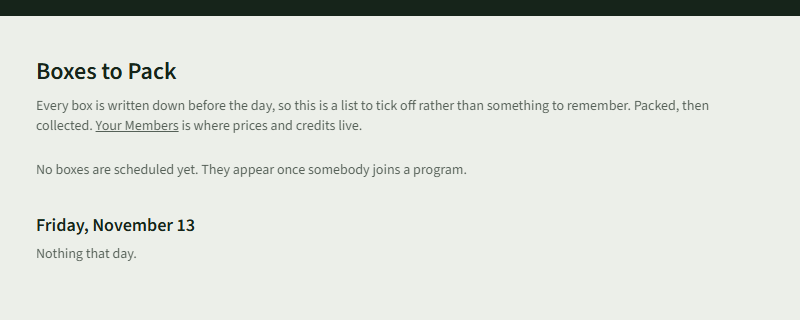
Choose Boxes to Pack in the same menu for each day's boxes. It says No boxes are scheduled yet. until somebody has joined.
Good to Know
A share cannot be shipped: members collect from you or at one of your markets.