
← Help · Buyer: Buying and After
Pay for Your Order
Pay for an order you have placed, and see it go to the seller.
- 1
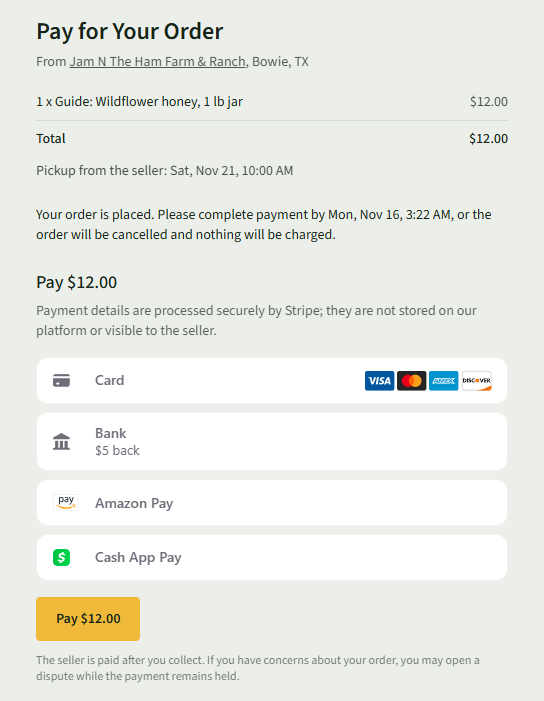
After Place order and pay, the Pay for Your Order page opens, with what you are buying and how you get it.
- 2
Choose how to pay: Card, Amazon Pay, Bank or Cash App Pay, and fill it in.
- 3
Choose Pay with your total, such as Pay $12.00.
- 4
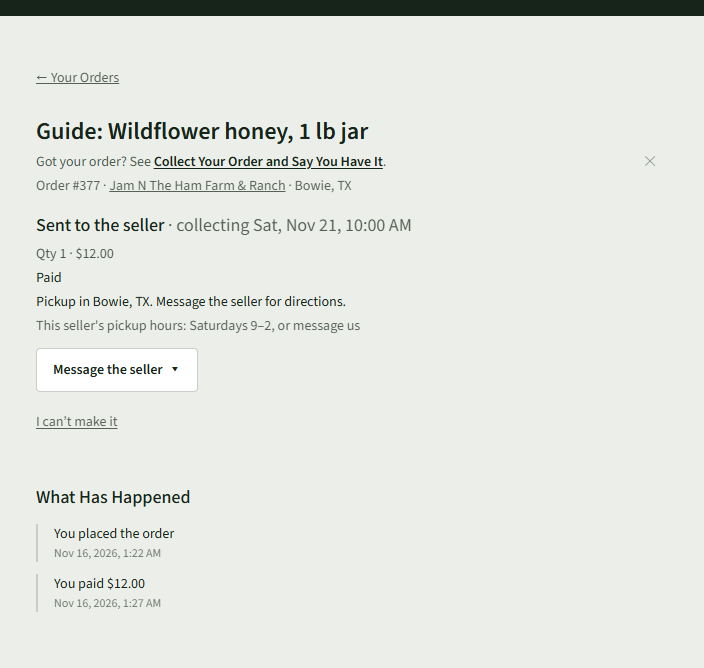
Choose Orders at the top. The order says Paid and Sent to the seller.
Good to Know
Pay by the time the page shows, or the order will be cancelled and nothing will be charged.