
← Help · Seller: Business Suite
Read Your Profit and Loss and Tax Summary
See money in and money out for any dates, down to Net Profit, and your year's totals by tax form line.
- 1
Open Your Store ▾, choose Your Business, then choose Profit and Loss.
- 2
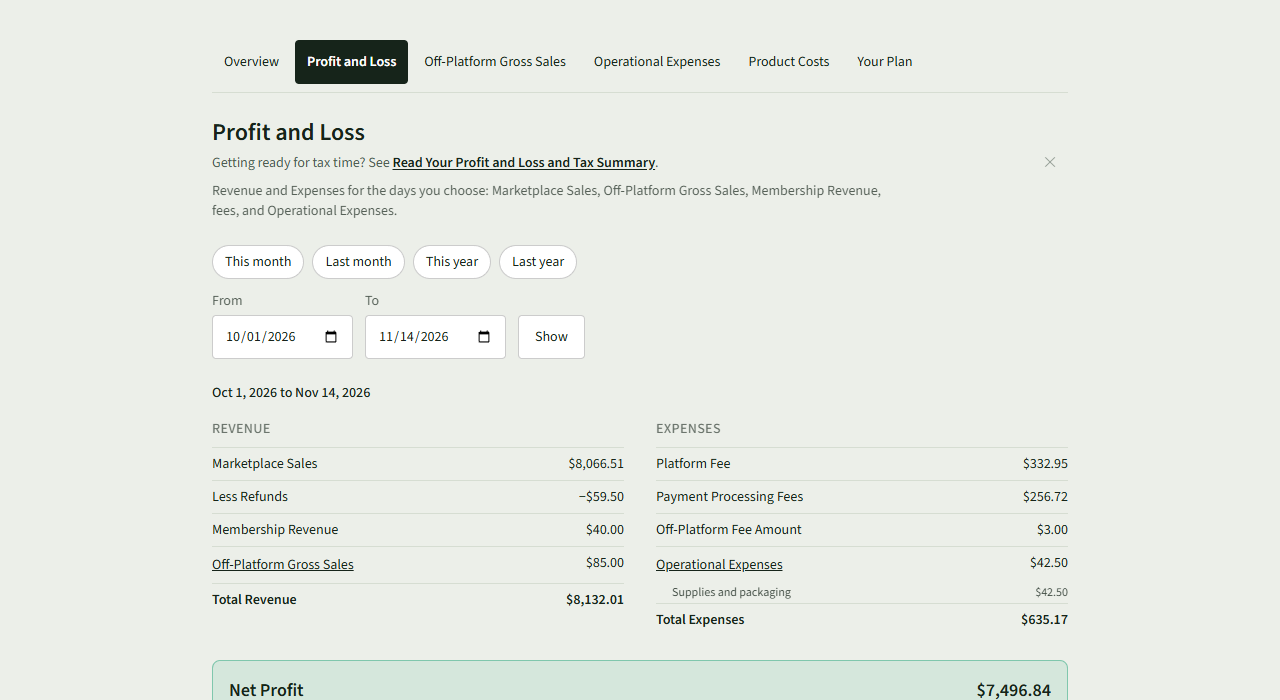
Choose This month, Last month, This year or Last year. For your own dates, enter From and To and choose Show.
- 3
Read Revenue and Expenses down to Net Profit. Choose Off-Platform Gross Sales or Operational Expenses to see what makes up that line.
- 4
Under The Last Twelve Months, see each month's Revenue, Expenses and Net.
- 5
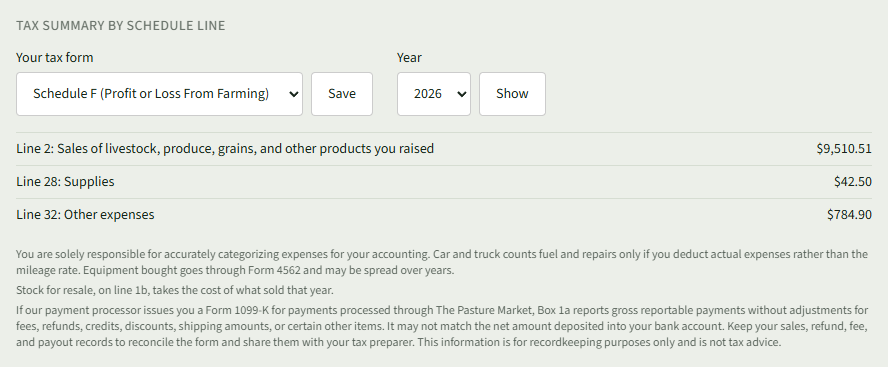
Under Tax Summary by Schedule Line, choose Your tax form, Schedule C (Profit or Loss From Business) or Schedule F (Profit or Loss From Farming), and choose Save.

- 6
Each line of the form shows its total for the Year chosen.
- 7
To see another year, choose it under Year and choose Show. The dates chosen above stay as they were.

- 8
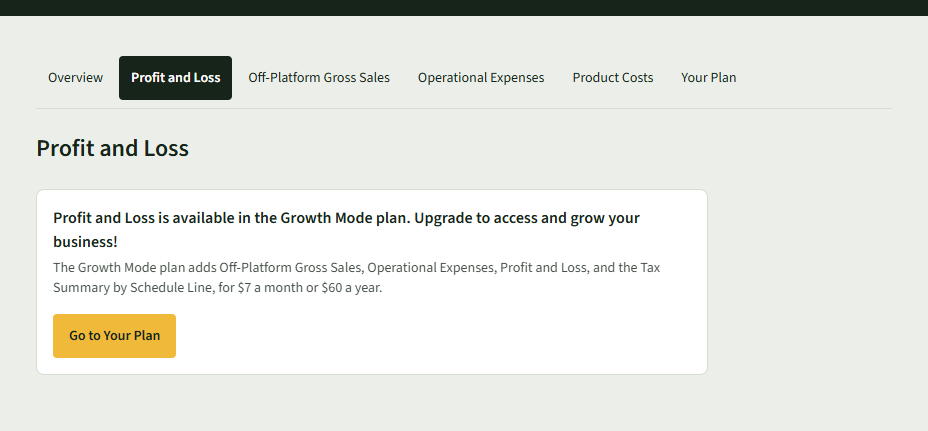
On the Getting Going plan, the page says Profit and Loss is available in the Growth Mode plan. Choose Go to Your Plan to see the plans.
Good to Know
Profit and Loss and the Tax Summary by Schedule Line are part of the Growth Mode plan; they are records, not tax advice.