
← Help · Seller: Listings and Orders
Reply to a Buyer's Message
Answer a buyer who wrote to your store.
- 1
Choose Messages at the top of the page.
- 2
Open the conversation. Messages to your store are marked to your store.
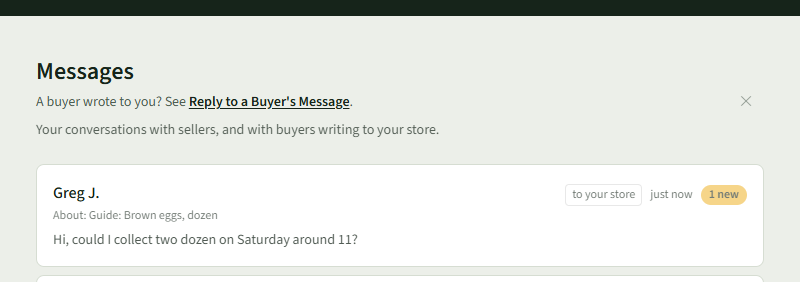
- 3
Type your reply in Write a message.
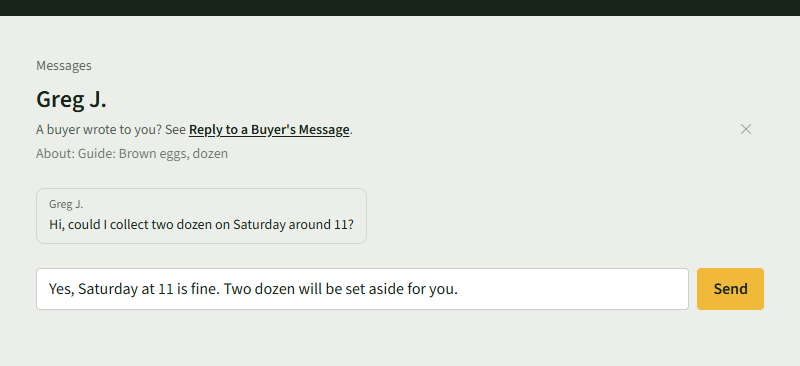
- 4
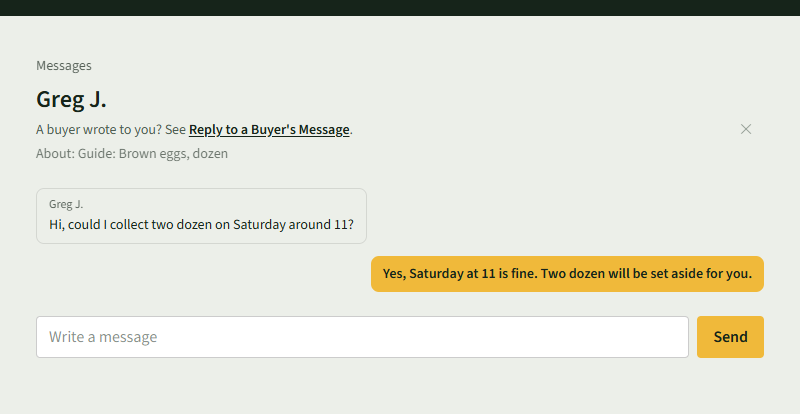
Choose Send. Your reply appears under theirs.
Good to Know
Each conversation shows the listing it is about under the buyer's name.