
← Help · Seller: Listings and Orders
Sell by Hanging Weight with a Deposit
List a half or whole animal that buyers reserve with a deposit and pay off once it is weighed.
- 1
On Your Listings, under Add Something, choose Meat & Poultry and then Whole & Half Animal Shares.
- 2
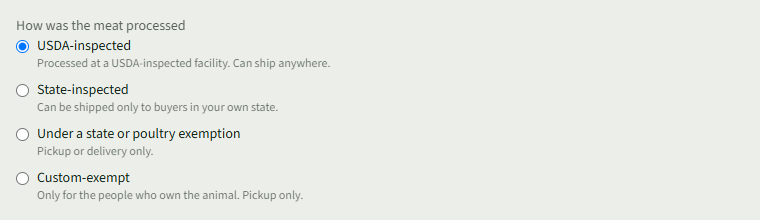
Under How was the meat processed, choose the answer that fits.
- 3
Under How is it priced, choose By hanging weight.

- 4
Say what one is in the Title, such as a half or a whole, and fill in How many you have to sell.
- 5
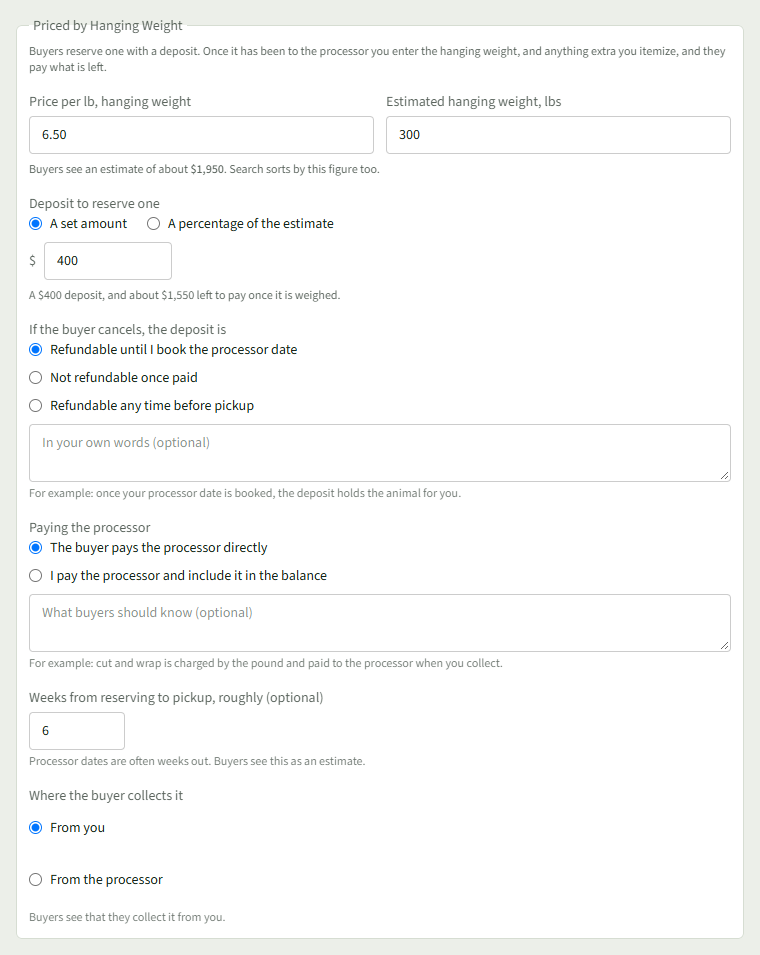
Enter Price per lb, hanging weight and Estimated hanging weight, lbs.
- 6
Under Deposit to reserve one, choose A set amount or A percentage of the estimate, and enter it.
- 7
Choose what happens to the deposit if the buyer cancels, who pays the processor, and Where the buyer collects it.
- 8
Choose Add listing.
Good to Know
Once it has been to the processor, you enter the hanging weight, and the buyer pays what is left.