
← Help · Seller: Listings and Orders
Sell in Weight Bands
Set one price for each range of weights, such as 1 to 1.5 lbs.
- 1
Under Add Something, choose Meat & Poultry and then the kind of meat, such as Pork.
- 2
Answer How was the meat processed and type a Title.
- 3
Tick Sold in Weight Bands.

- 4
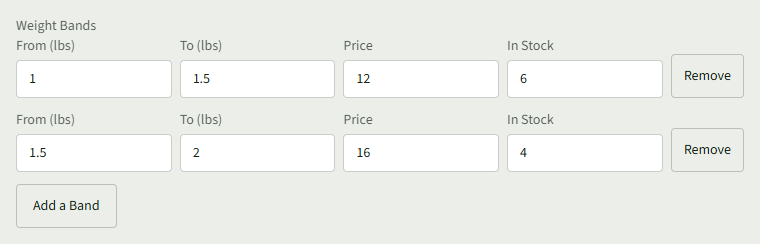
In the first row, enter From (lbs), To (lbs), Price and In Stock.
- 5
Choose Add a Band for each other size and fill it in the same way.
- 6
Choose Add listing.
Good to Know
Buyers choose a Size on the listing, and each size shows its price per lb.