
← Help · Seller: Getting Started
Tell Buyers Where to Collect, and Set Up Delivery
Give paid buyers your collection directions, and set a delivery fee if you deliver.
- 1
Open Your Store ▾ and choose Store Details, then find Where Buyers Collect.
- 2
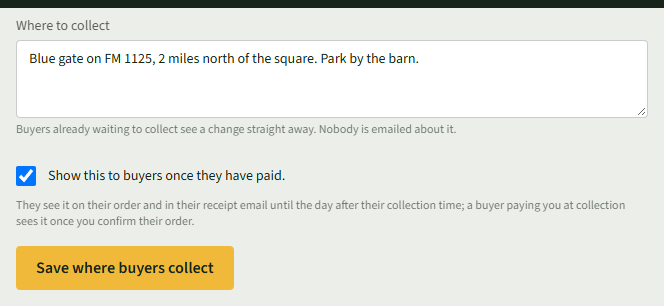
Under Where to collect, write the address or detailed directions, including parking or specific entrances.
- 3
Tick Show this to buyers once they have paid. and choose Save where buyers collect.
- 4
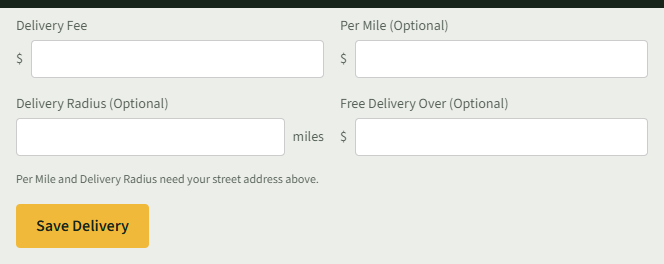
If you deliver, go to Delivery. Fill in Delivery Fee, and if you like Per Mile (Optional), Delivery Radius (Optional) and Free Delivery Over (Optional).
- 5
Choose Save Delivery.
Good to Know
Where to collect is never on your store page, the map or search results. Per Mile and Delivery Radius need your street address in Store Details.